We continued the same scanning project these weeks. The site supervisor confirmed that the material metadata that I had added in contentDM was appropriate and correct for the most part. There were some small changes that needed to be done, for instance the title of the collection that I had created said “Student Athletics” however we shortened this to just “Athletics” since it is assumed that if we are talking about athletics then we mean specifically student sports. We also listed my name as a contributor for each item, and we changed the subjects to be lists of approved controlled vocabulary terms rather than just “Student Services”.
However, we did run into a hiccup with this week. The scanner that we are using was supposed to have OCR capabilities and would allow for the material that we upload to contentDM to be searchable. However, it turns out that this capability was not uploaded when the scanner was most recently updated. Because of this the material that we had scanned in both weeks 7 and 8 was not searchable. OCR was uploaded to the scanner and for the materials that had already been scanned we ran through an Adobe platform that would run OCR on the pdf files and would allow them to become searchable.
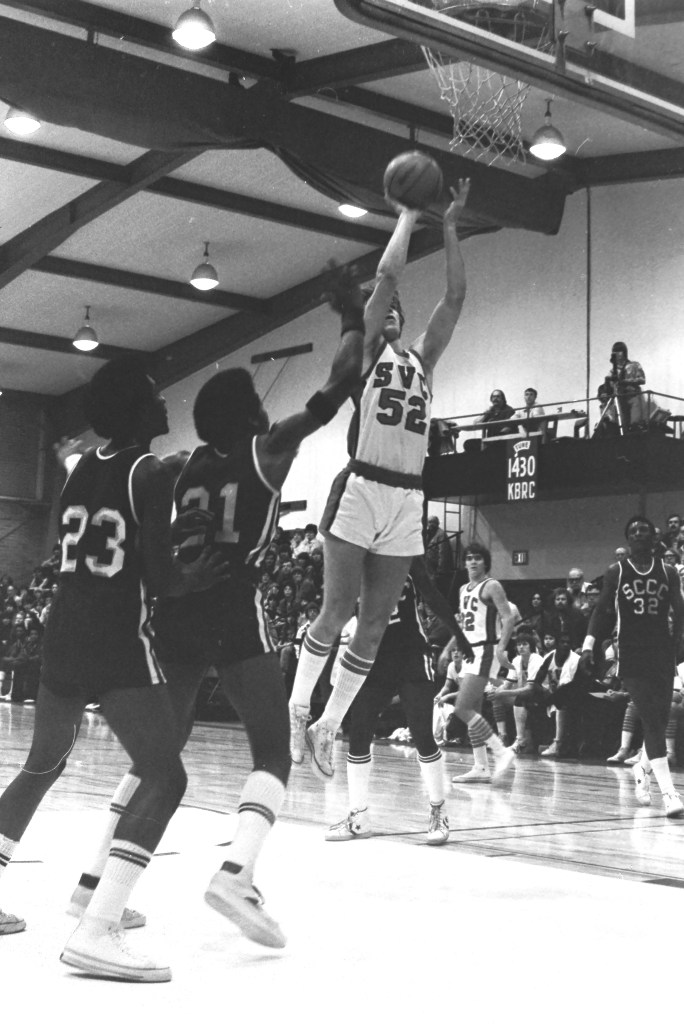
This part of the project took a bit of time so we also worked on running the negatives that were within the student services category. We used a Kodak slide scanner that we could connect with my laptop. This scanned each negative image and immediately converted them to jpg files on my computer. These images were then uploaded to the SVC Library google drive where they have a “SVC Archives Digital Files” folder for this type of material. I forgot to ask my supervisor if these photos should also be uploaded to contentDM which I will do next time that I see them.
Below I wanted to include some of the better scanned images to show how they appear as digital files.


 Internship at Skagit Valley College
Leave a comment