This week we were finally able to start the digitization process. My site supervisor began by walking me through how to use the Scan Snapshot equipment, how to edit the images once they had been captured and then upload them to a separate flash drive. This process entailed laying the material out on a black mat, trying to get it as flat as possible and then scanning the material. Once the material was scanned we could crop and rotate the images as needed. Then once we had it captured to the best of our ability we could then download the file to a flash drive which I can take home and remotely work on uploading and cataloging this material in ContentDM.
My main challenge while actually scanning this material was that most of the material that I worked on this week were catalogs and other materials that won’t naturally lay flat, so I would have to trying and manually flatten the pages, while trying to keep my fingers out of most of the image and trying to do this in one take. Once we took a scan of a page it was not possible to delete the image and try again without saving the whole file and then taking the flash drive to another computer with Adobe workshop pro that has the ability to delete certain pages within a pdf.
I was overall able to complete the entirety of the Student Athletics category which I then worked on uploading to contentDM. The main elements that I filled in in contentDM included title, subject, description, date, contributors, publisher, date, format, and identifier. Below is an example of one of the items that I cataloged.
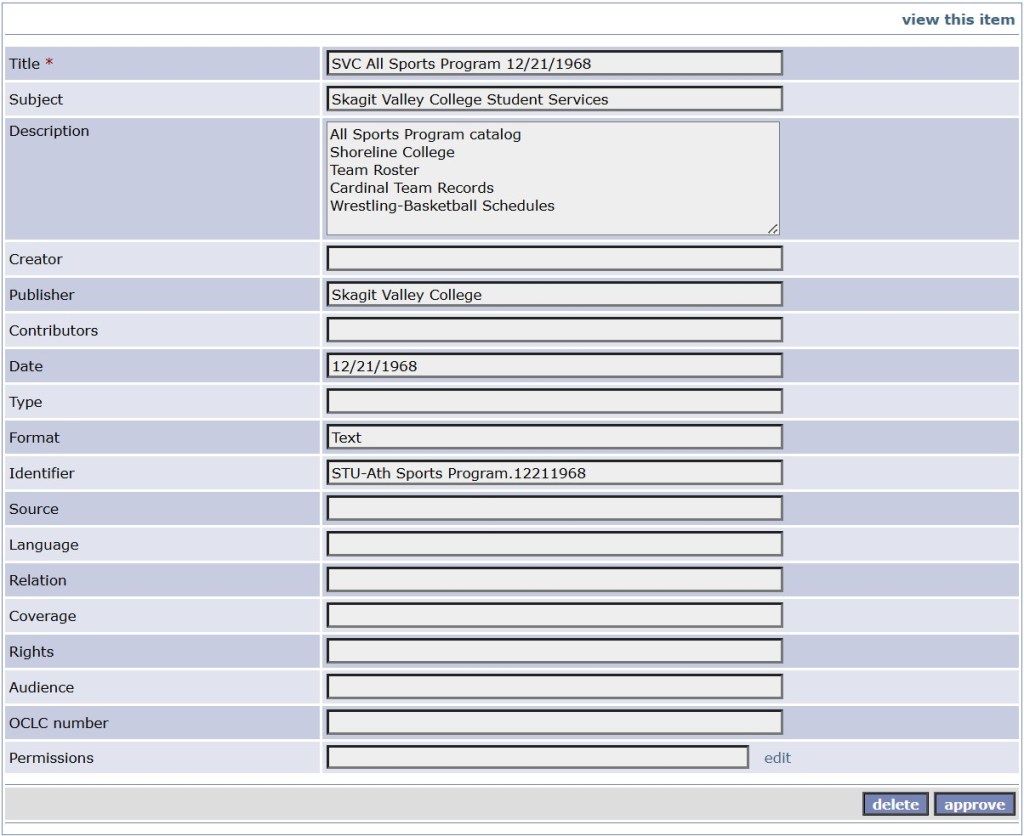
While I was able to finish this category, I will still have my site supervisor look through my cataloging work to make sure that the vocabulary used is correct, that the necessary fields have been filled in and that the identifiers follow the call number schema correctly.
 Internship at Skagit Valley College
Leave a comment